What you’d build without Soracom Beam
|
Add full TLS stacks to device firmware
Embed and rotate cloud credentials on every device
Operate your own proxy or relay server |

Cloud Service
Soracom Beam
Protocol conversion and TLS offloading service that forwards device traffic securely to any cloud endpoint.
Send lightweight device data to the cloud without handling encryption yourself
Forward device traffic securely without adding cost or complexity to firmware
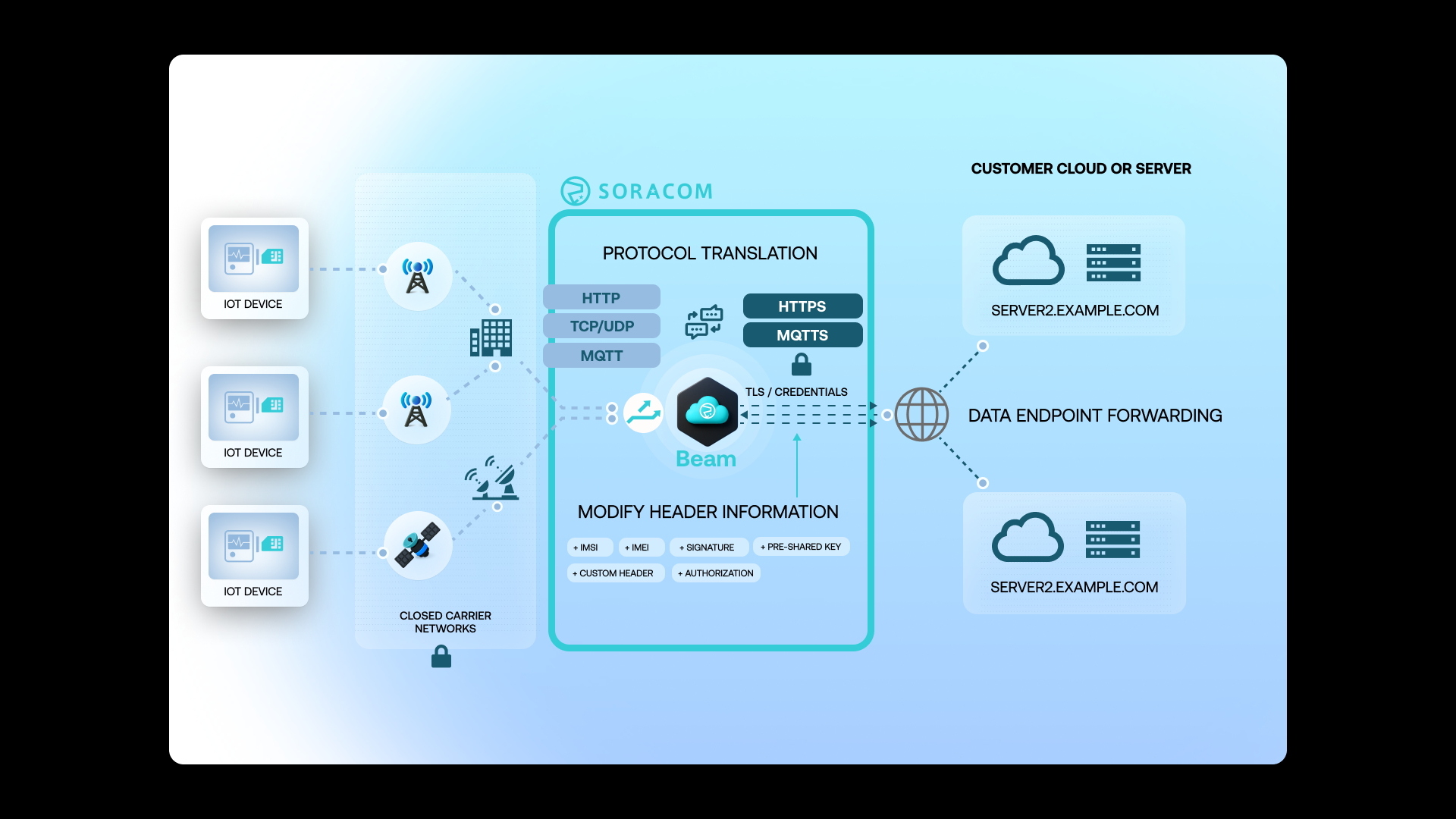
Soracom Beam lets devices send simple HTTP, TCP, UDP, or MQTT traffic to a Soracom endpoint, while Beam handles encryption, authentication, and protocol conversion in the cloud. Acting as a secure proxy, Beam upgrades lightweight device traffic to HTTPS or MQTTS, injects required API keys or headers, and formats payloads for your cloud services—so devices send fewer bytes, use less power, and keep firmware simple, while your applications still receive fully authenticated, encrypted data.
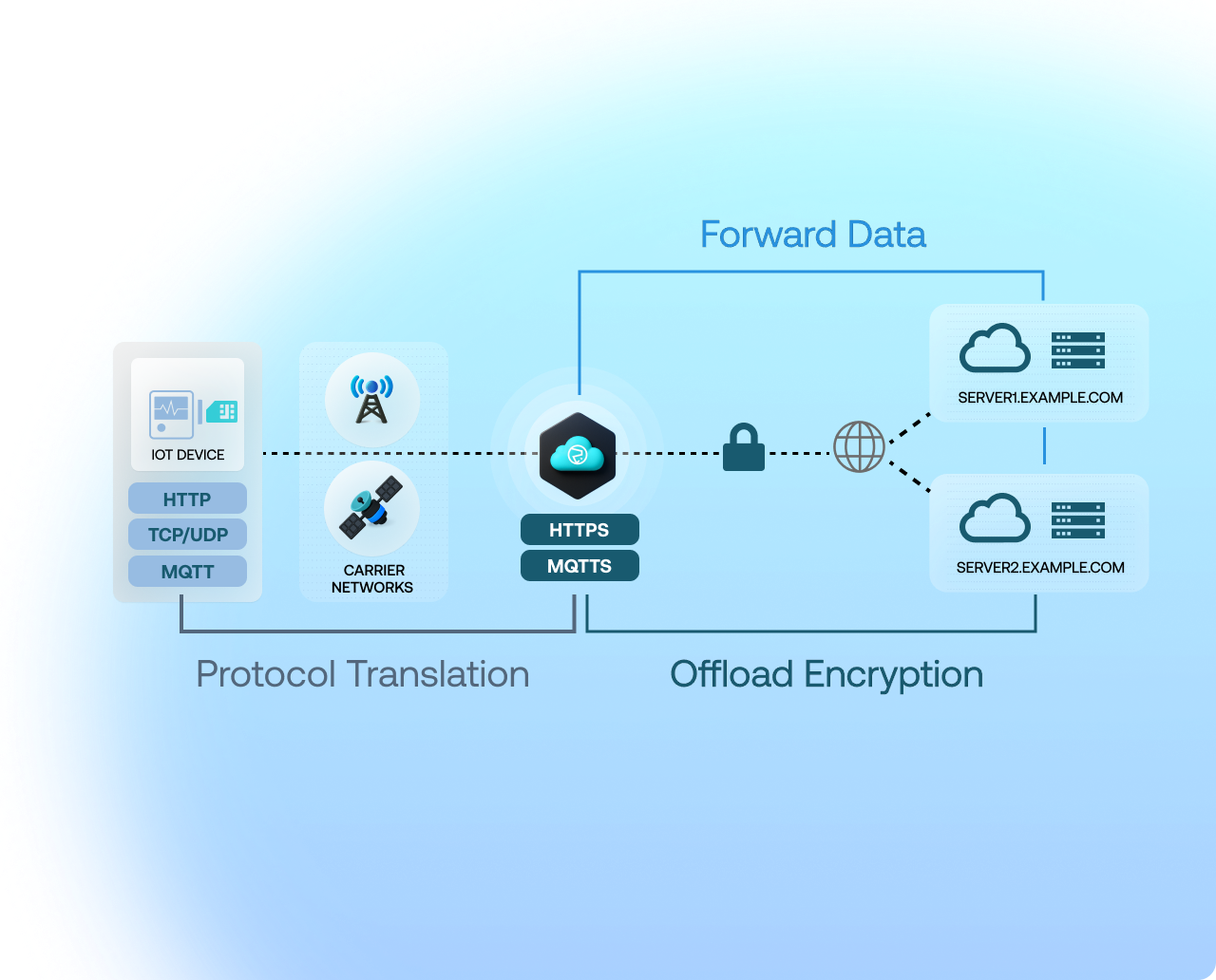
Why use Soracom Beam for your project?
Lighten your device code
Replace heavy TLS stacks with simple HTTP, UDP, or MQTT device logic.
Protect your credentials
Store API keys and certs securely in the cloud, not on the device.
Adapt easily
Change cloud endpoints without updating deployed firmware.
How it works
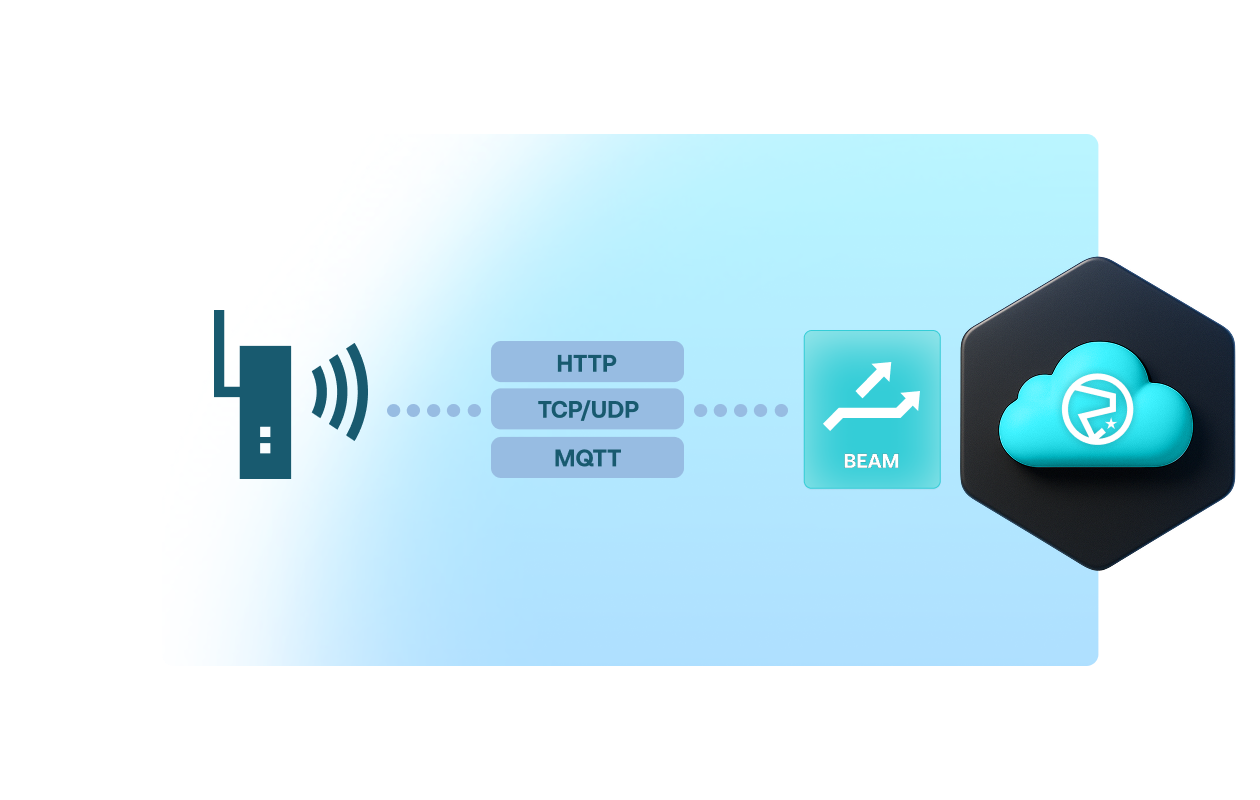
Offload TLS and protocol conversion
Beam converts lightweight device traffic—HTTP, TCP, UDP, or MQTT—into secure HTTPS or MQTTS. This removes the need for devices to maintain expensive TLS stacks, reducing code complexity, bandwidth usage, and modem airtime.
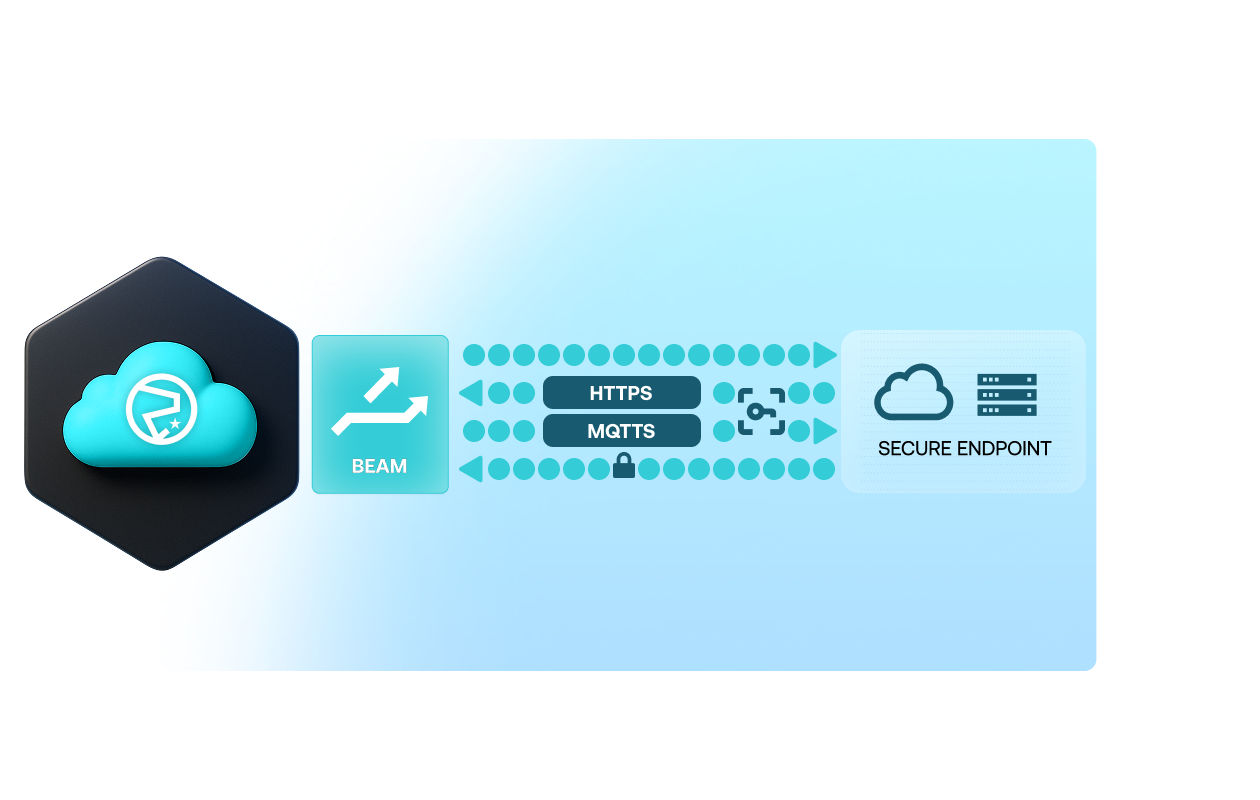
Inject cloud credentials securely in the cloud
Instead of embedding API keys or certificates on the device, Beam injects credentials inside the Soracom platform before forwarding traffic. This improves security and makes it easy to rotate keys or change endpoints without firmware updates.
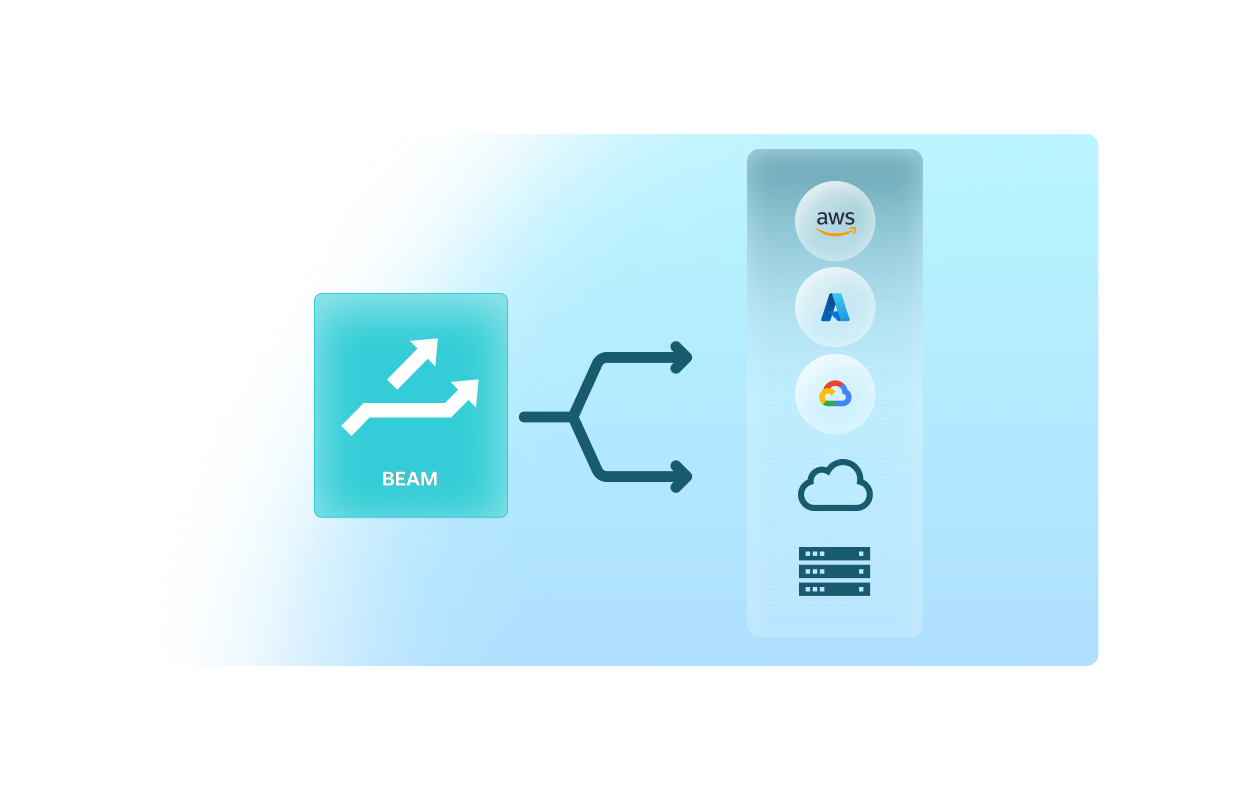
Route to any cloud service or custom endpoint
Beam can forward data to any HTTPS or MQTTS destination, including AWS IoT Core, Google Cloud IoT Core, Azure IoT Hub, custom APIs, proxies, databases, or message brokers. You control routing per device group through the Soracom Console or API.
Architecture and implementation
Soracom Beam sits between devices and cloud endpoints, acting as a lightweight protocol proxy. Devices send basic HTTP, TCP, UDP, or MQTT traffic to a Soracom endpoint. Beam then adds encryption, injects API keys or certificates, optionally performs protocol conversion, and forwards the data to your chosen cloud destination. It’s ideal for reducing device-side complexity, improving battery life, and enabling secure data ingestion without managing edge-side credentials.
Step 1
Enable Soracom Beam and select the protocol you want to offload
Open the Soracom User Console and navigate to the SIM group where you want to enable protocol conversion or TLS offloading.
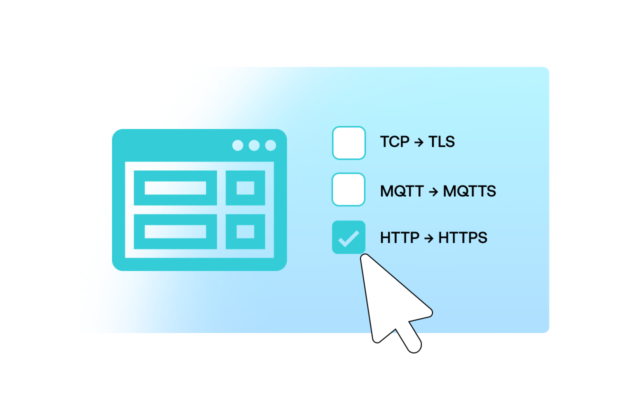
Enable Soracom Beam in the group settings and choose the protocol you want Beam to handle—such as HTTP → HTTPS, MQTT → MQTTS, or TCP → TLS.
Beam lets devices send simple, lightweight traffic to Soracom while Beam performs secure encryption, certificate handling, and protocol translation on their behalf.
Setup steps are available in the Soracom Beam documentation.
Step 2
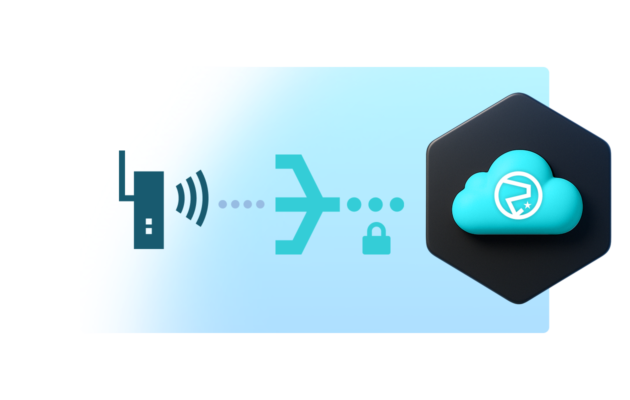
Point your devices to the Beam endpoint using simple, unencrypted protocols
Update your device to send data to the Soracom Beam endpoint for your selected protocol.
Devices can communicate using plain HTTP, MQTT, or TCP without storing certificates or performing TLS handshakes, reducing memory, CPU, and firmware complexity.
Beam translates and secures the traffic before forwarding it to your cloud service, ensuring encryption without device-side overhead.
Step 3
Configure Beam to deliver your data securely to cloud or application endpoints
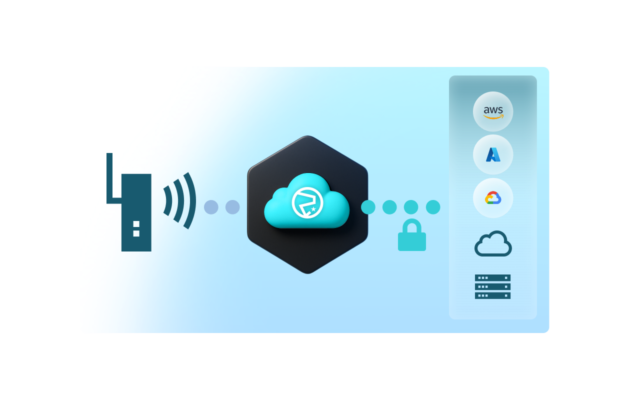
In the SIM group settings, specify the destination host, port, and security settings for your cloud platform or application server.
Beam will securely deliver your translated traffic to AWS IoT, Azure IoT Hub, Google Cloud, or any HTTPS/TLS-enabled backend—using preconfigured credentials stored in Soracom.
You can monitor delivery results and adjust routing or security settings without updating device firmware.
Destination configuration examples are listed in the Beam configuration guide.
How Soracom Beam works with other Soracom services
|
Use Beam + Funnel for built-in cloud adapters
Use Beam + Canal or Door for private networking
Use Beam + Harvest/Lagoon for diagnostics |

Simplify secure IoT data delivery with Soracom Beam
Create a free Soracom account, connect a test device, and use Beam to forward traffic securely to any cloud endpoint—no TLS stack or credential management required.
Articles about Soracom Beam









Frequently Asked Questions
What is Soracom Beam?
Beam is a secure proxy service that converts lightweight device traffic into encrypted HTTPS or MQTTS requests before forwarding them to cloud endpoints.
Does Beam reduce device power usage?
Yes. Devices avoid establishing TLS sessions, significantly reducing transmission time and improving battery life.
Which protocols does Beam support?
Beam supports HTTP, HTTPS, TCP, UDP, MQTT, and MQTTS, as incoming or outgoing protocols depending on configuration.
Does Beam support bi-directional traffic?
Beam primarily handles outbound device-to-cloud data. For two-way traffic, pair Beam with Soracom Gate or Canal.
How is Beam different from Funnel?
Beam is general-purpose and supports any HTTP/MQTTS destination, while Funnel provides built-in adapters for specific cloud services.
Can Beam inject API keys or certificates?
Yes. Credentials are stored securely in the Soracom platform and added in the cloud, not on the device.
Can I change routing without updating firmware?
Yes. You can update Beam settings at the SIM-group level in the console and all devices inherit the new behavior.
Is Beam suitable for low-power or constrained devices?
Absolutely—Beam is designed specifically to reduce device-side compute, memory, and power requirements.